
If you want to install the 3 Patti Blue APK on Android, the process may be different from installing an app directly from the Google Play Store. APK files are Android installation packages that can be installed manually when an app is not available through the official store.
Before installing any 3 Patti Blue APK, it is important to check where the file comes from, review the requested permissions, and make sure your Android device is protected. This guide explains the basic installation process in simple steps and covers common problems you may face.

What Is 3 Patti Blue APK?
3 Patti Blue APK refers to an Android package associated with a Teen Patti-style card gaming app. An APK allows an Android application to be installed manually instead of downloading it through Google Play.
Because APK files can come from websites outside the Play Store, users should be careful before installing them. A file downloaded from an unknown or untrusted source can potentially contain unwanted software.
If the app involves real-money games or cash prizes, check the laws and regulations that apply in your location before using it.
Things to Check Before Installing 3 Patti Blue APK
Before you start the installation, take a few minutes to check your device and the APK file.
1. Check Your Android Version
Make sure your phone meets the application’s stated Android requirements. Older Android versions may not support newer apps, while some applications may require a particular Android version.
You can usually check your Android version by going to:
Settings → About Phone → Android Version
2. Keep Enough Storage Space
APK installation requires available storage. If your phone is almost full, the installation may fail.
Delete unnecessary files or apps if you need additional space.
3. Download Only From a Trusted Source
The source of an APK is important. Avoid files from suspicious websites, pop-up advertisements, unknown links, or pages that ask you to install several unrelated applications.
Do not assume that an APK is safe simply because its website uses words such as “official,” “verified,” or “latest.”
Learn More:
4. Scan the APK Before Installation
If possible, scan the downloaded file with your device’s security tools or a reputable malware scanner. This can help identify potentially harmful files before you install them.
How to Install 3 Patti Blue APK on Android
Once you have checked the APK and your device, you can follow the standard Android APK installation process.
Step 1: Download the APK File
Download the APK file to your Android phone from a source you trust. Wait until the download is completely finished before opening the file.
If the website provides multiple APK versions, make sure you understand which version is compatible with your device.
Step 2: Allow APK Installation When Required
Recent Android versions normally block installations from unknown sources by default.
If Android displays a security message, you may need to give the browser or file manager permission to install an APK.
The setting can usually be found under:
Settings → Security/Privacy → Install Unknown Apps
Select the application you used to open the APK and allow installation when necessary.
The exact menu name can vary depending on your Android phone manufacturer and software version.
Step 3: Open the APK File
Go to your Downloads folder or open the notification that shows the completed download.
Tap the APK file to begin the installation.
Android will display information about the application and may ask you to confirm the installation.
Step 4: Review the App Permissions
Before selecting Install, review the permissions requested by the application.
Be cautious if a card game requests access that does not seem necessary for its basic functions, such as contacts, SMS messages, or other sensitive information.
If the permissions seem excessive, it is safer to stop the installation and investigate the app further.
Step 5: Complete the Installation
Tap Install and wait for Android to complete the process.
After installation, you can open the application from your app drawer. If Android displays a security warning or reports that the application may be harmful, do not ignore the warning.
What to Do If 3 Patti Blue APK Is Not Installing
Sometimes an APK may fail to install. Here are several common reasons.
APK Installation Is Blocked
Check whether your browser or file manager has permission to install unknown apps. Remember to disable this permission again after installation if you do not need it.
Not Enough Storage
Free up some space and try the installation again.
APK Is Damaged
If the download was interrupted or the file is incomplete, the APK may not work. Downloading a clean copy from a trustworthy source may resolve the problem.
Android Version Is Not Compatible
The application may require a newer Android version or may not support your particular device.
Existing Version Causes a Conflict
If another version of the same application is already installed, the new APK may conflict with it. Check the app’s installation requirements before removing anything.
Is 3 Patti Blue APK Safe to Install?
Safety depends largely on the specific APK file and its source. The name of an APK alone does not prove that it is safe or official.
Before installing, consider checking:
- The reputation of the download source
- File security and malware scan results
- App permissions
- Android compatibility
- Privacy information
- Whether the application is legally available in your location
- Whether the app asks for unnecessary personal or financial information
Never share passwords, banking details, OTPs, or other sensitive information with an unknown application or website.
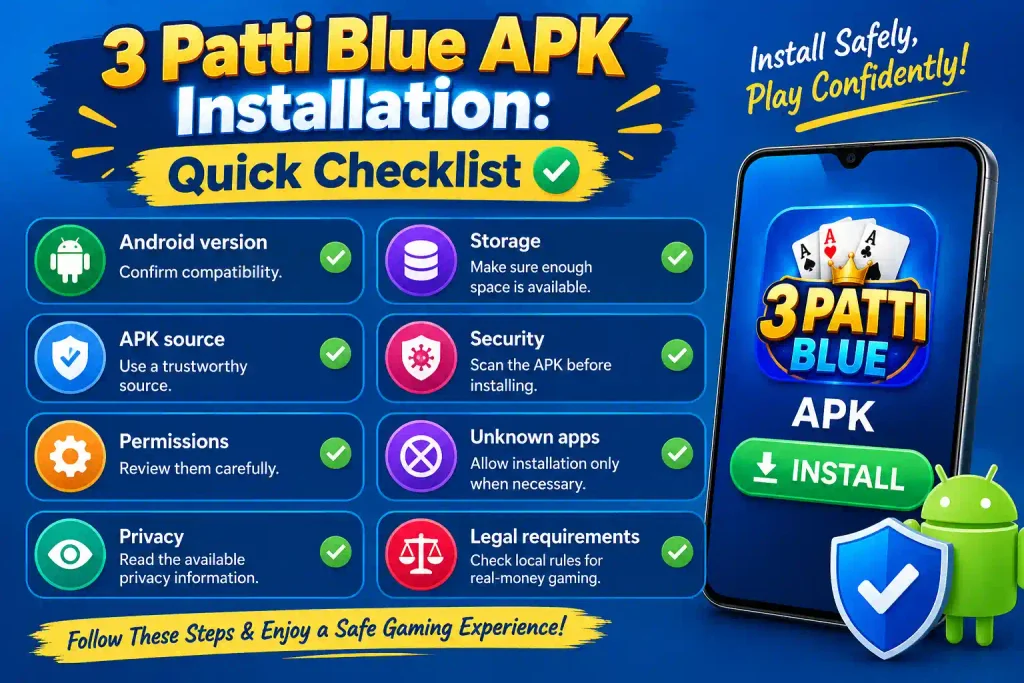
3 Patti Blue APK Installation: Quick Checklist
| Check | What to Do |
| Android version | Confirm compatibility |
| Storage | Make sure enough space is available |
| APK source | Use a trustworthy source |
| Security | Scan the APK before installing |
| Permissions | Review them carefully |
| Unknown apps | Allow installation only when necessary |
| Privacy | Read the available privacy information |
| Legal requirements | Check local rules for real-money gaming |
Final Thoughts
Installing the 3 Patti Blue APK on Android is generally similar to installing other APK packages manually. The main steps are to check Android compatibility, download the correct file from a trustworthy source, review security warnings and permissions, and complete the installation through Android’s package installer.
However, downloading an APK outside Google Play requires extra care. Always verify the file before installation, avoid suspicious download pages, and protect your personal information. If the application offers real-money gaming features, make sure you understand the applicable laws and risks before using those features.